Everything you need to learn as a 3D artist about making holes in surfaces in Blender
Should I get this if I have your other E-book?
If you previously purchased the "Blender Secrets" E-book, you already have all these topics. So there is no reason to buy this one in that case.
I just wanted to offer something affordable (10 euro) for people who don't want to buy a 45 euro e-book. It includes a 10 Euro coupon for the full e-book, in case you decide to get that later.

Why get this PDF?
Learning how to make holes in 3D surfaces is actually one of the more challenging parts of making 3D models, especially for hard surface objects. I've struggled with this in the past, so I know how frustrating it can be.
I've collected all the knowledge I have on this subject in one E-book now, so you don't have to go through the same struggle.

Avoid the struggle
Like the bigger e-book, these topics are the result of 8 years of using and learning Blender, and sharing what I learn in an efficient method. My goal is to help you avoid the struggle and overcome the obstacles, so you can just create what you want.

Key skills
Learning to make holes in 3D surfaces is important for those of you who want to make hard surface props, game assets or film assets. It's also an essential skill for 3D printing enthusiasts. Basically, it's one of the key skills for 3D artists, and making holes can be surprisingly challenging!

Workflows
The book deals with all the different workflows you need: Booleans, or subdivision ready and all quads, it's all there.
The boolean workflow, from making holes with cutter objects both with and without add-ons, and how to clean up the resulting geometry.
We also look at how to make holes with quad topology for subdivision-ready surfaces, and how to protect the corners of those holes for subdivision.
Finally, there are some methods of making holes by "faking" them, either by using image textures as masks, or by using clever tricks from the world of game dev.
It even includes a downloadable Geometry Nodes set-up for making holes with thickness from images.

How many pages?
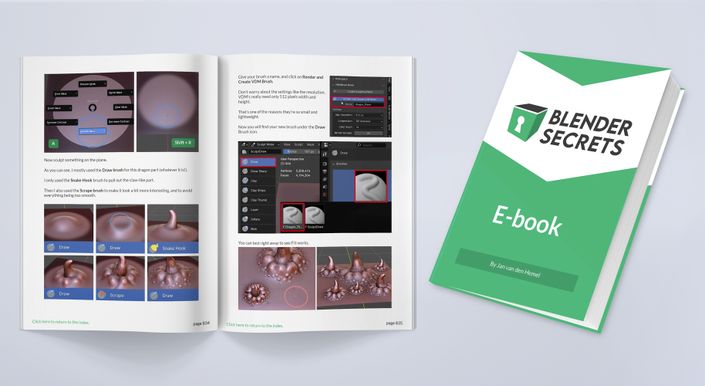
The book is a downloadable PDF with 26 topics accross 134 pages. You can also read it in the browser if you prefer. Additionally, each topic has its own section with an accompanying video, and a comment section where you can ask me questions if anything is unclear.
You can see a preview of the entire curriculum (all the lessons) below.
What does it cost?
The book costs 10 Euro + VAT.
About the author
Hi, I'm Jan van den Hemel, I'm a 3D artist and I teach people Blender - my goal is to make learning and using Blender frustration-free, efficient and fun. 280.000 subscribers on YouTube and 289.000 subscribers on Instagram follow my short Blender tutorials. I've been doing this for 8 years so far.

Which topics are covered?
Below you can find the entire curriculum of this book.
- Turn vertices into holes (5:51)
- Holes from Textures (0:55)
- Perfect Holes with Quad Topology in Curved Surfaces (6:58)
- Image to 3D geometry using Knife Project (8:51)
- Boundary Protection - 6 ways to add support loops (1:01)
- Cylinder with Holes / Barrel (1:01)
- Modeling holes with Quad topology (0:50)
- Perfect topology on Curved surfaces (1:01)
- Easy Non-Destructive Panel Cuts (1:18)
- Easy hard surface details using Floaters (1:01)
- Baking Floaters to Normal maps (1:01)
- Array of Floaters (1:01)
- The Fastest Boolean Workflow (1:05)
- Loop Tools Bridge, Loft and Circle (1:01)
- Make connected holes and smooth surfaces with Bridge (0:55)
- Make selections circular with To Sphere (0:50)
- The Weld Modifier (0:29)
- Modeling Broken Pillars (1:29)
- Modeling a scifigun with Carver (0:58)
- 3 inset modeling tips (0:30)
- 3 ways to Slice objects (1:01)
- Fixing Boolean Issues (0:53)
- Slice Cuts (0:43)
- Boolean Basics: Non-Destructive Workflow (7:40)
- How To Use the Bool Tool Add-on (1:04)
- More ways to make holes (2:55)
More training
Below are some more of my training materials that you can buy to learn Blender. There's also some bundles, that will save you money.