About the course
What’s it about?
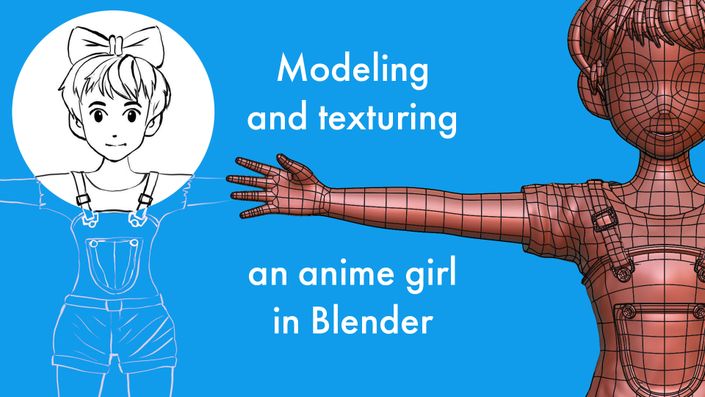
This course goes over the modeling (and rigging and texturing) of a stylized ‘anime’ style girl character in the free, open-source software Blender. We first create the body, then create the clothing. If you’ve always wanted to know how to model hands and heads, this course has you covered. The goal is to focus on an easy and fun workflow, with a repeatable and easy to remember way of making hands, heads and stylized hair.
What's in the Free Sample?
Below you see a description of the free lessons that you can watch, so that you can decide if the full course is worth it for you.
Free Sample Lessons:

Lesson 00 - Setting up Blender and Reference Images
In this lesson, we look at some of the specific Preferences I’m using for modeling and recording, and then we import the reference images into the different 3d views. We also briefly go over how to navigate the 3D views.
There's also a quick overview of the best (or at least, my preferred) way to set up a drawing tablet for sculpting.

Lesson 01 - Shoes (box modeling introduction)
Rather than starting with complex parts of the model, we start with something simple: The shoes of the character.
This way we get an introduction of the basics of Box Modeling, and how to quickly get the shape you want. We also look at how to add Annotations, how to use the Subdiv modifier and how to properly mirror an object.

Lesson 02 - Socks (method 1: Procedural)
This lesson demonstrates a simple but effective method for creating the socks, using procedural Cloud textures with the Displace modifier. Then we adjust the shape using Extrusions and Proportional Editing.

Lesson 03 - Socks (method 2: Sculpting with Cloth Simulations)
As an alternative workflow, we look at creating the same socks but with the Pose Sculpt brush in Sculpt Mode, that uses Cloth Simulation in order to quickly add realistic folds.
We also look at what flipped Normals are and how to solve them, as well as how to use the Grab brush. Then we introduce an extension called LoopTools and look at how to use it to our benefit in this example (this extension is one of the free, default ones for Blender).
Over 40 more lessons in the full course...
The below video gives an overview of the full course.
Note that more lessons have been added since (and more info can be found on the sales page of the full course).
How long is the full course?
The full course contains over 8 hours of edited tutorials with voice over.
Can I download the lessons?
Yes, you can download them as ZIP archives, which include the videos, subtitles and blend files, so you can watch it offline, distraction-free, on any of your devices that plays videos.
Which Blender version is this for?
It was made with Blender 4.5 LTS, however no special 'new' Blender features are necessary for the workflow used in the lessons. So feel free to use the Blender version you're currently using.
What experience level is this for?
The course is aimed at beginners, who have explored Blender a little already, and want to move on from making donuts to something really cool: characters. All the tools are explained with voice over, we make the character step by step and gradually ramp up the difficulty so you don't feel overwhelmed. Key presses are displayed (and usually mentioned in the voice over). In case of any misunderstanding or trouble, you can leave a comment under the video and I'll do my best to help!
What do I need in terms of hardware?
Any recent laptop or PC should be able to handle the workflow of the video. We will do a bit of sculpting, in which case the polycount will go up a bit. But most computers from the last 10 years should be able to deal with that. I'm actually using a pretty old PC myself! I do recommend having at least 8GB of RAM, to make the sculpting more smooth.
For the sculpting parts, you will benefit greatly from having some kind of drawing tablet. If you don't have that, you can try using your mouse for sculpting (the sculpting is mainly for pulling/pushing on shapes, and for drawing folds). However I recommend using a drawing tablet as the sculpting is more enjoyable that way.
Are there subtitles?
Yes, subtitles are so far available in English, German, Japanese, Spanish, Portuguese and French. Feel free to suggest other languages. Keep in mind, that the subtitles and translations are made by Teachable's transcription service, which while very good, is not 100% perfect. The voice over is spoken in English.
More stuff!
Below are some things I've made. They can help you learn Blender, by taking advantage of all the things I've learnt the hard way.